
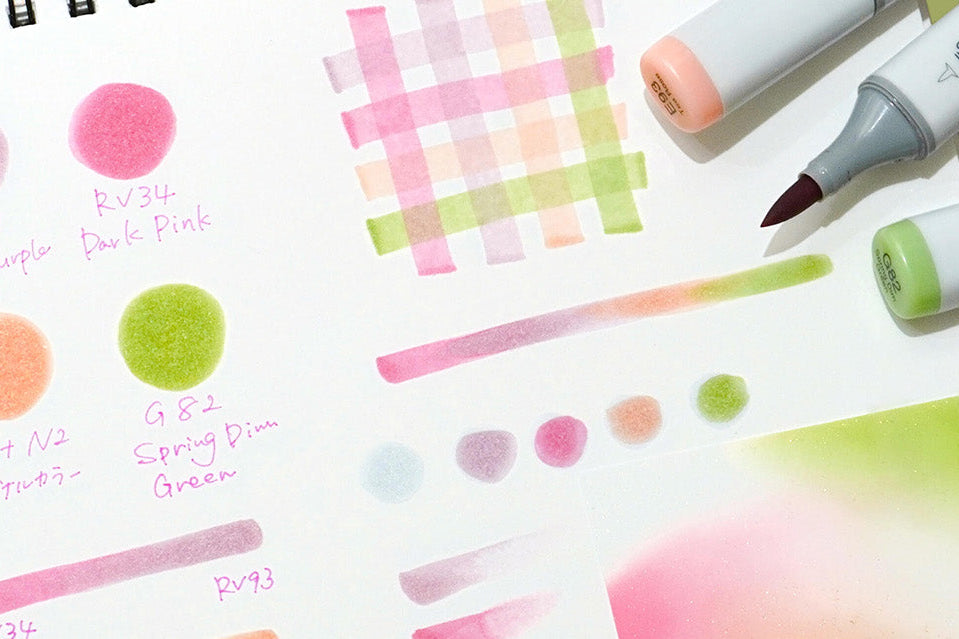
Many artists wonder why some Copic Sketch markers release too much ink from the brush tip, especially in small areas, to the point where a circular stain appears and slowly expands on the paper. This can happen with brand-new markers as well as freshly refilled ones.
In the vast majority of cases, this is not a defect. It is a normal behavior of Copic Sketch when they contain a lot of ink or when certain usage and storage conditions are met. This FAQ explains the main causes and gives you practical solutions.
1. Why can a Copic Sketch “bleed” or release too much ink?
Here are the most common reasons.
1.1 Too much ink inside the marker
Copic Sketch markers have a very large ink capacity. When they are new or have just been refilled, the brush tip can become heavily saturated and may release more ink than expected, especially in small detailed areas or on very absorbent paper.
1.2 Internal pressure inside the marker body
If the internal air channel is partially blocked (for example by excess ink or residue), internal pressure increases and ink is pushed out through the brush tip.
1.3 Refilling from the wrong side
Markers should always be refilled from the broad nib side, never from the brush tip. Refilling from the brush side increases the risk of blocking the air channel and encourages leaks.
1.4 Shocks or strong shaking
Dropping the marker or shaking it too vigorously can disturb the balance inside the marker body and cause the ink to leak from the brush tip.
1.5 Heat and temperature changes
Alcohol-based ink reacts to heat. If a very full marker is exposed to high temperatures, internal pressure rises and can push ink out through the tip. This can happen, for example, if the marker is left near a heater, in a hot car, or under direct sunlight.
1.6 Storing the marker brush-side down
When the marker is stored vertically with the brush tip facing down, most of the ink flows into that tip, which strongly increases the risk of bleeding.
In most cases, this kind of behavior does not indicate a manufacturing defect. It is a normal reaction of a very full marker with a brush tip that is temporarily overloaded with ink.
2. How to fix a Copic that is “bleeding”
When your brush tip releases too much ink, the following steps usually help to stabilise the marker.
2.1 Remove the cap from the broad nib
First, remove the cap on the broad nib side. This helps to equalise internal pressure inside the marker body.
2.2 Gently blot the brush tip
Gently touch the brush tip onto a scrap paper or tissue, without pressing too hard. The goal is to remove the excess ink, not to empty the marker. Stop as soon as the flow looks normal again.
2.3 Clean the brush nib housing if the problem reappears often
If the marker tends to bleed repeatedly, you can remove the brush nib with tweezers and clean the inside of its housing with a cotton swab soaked in colorless blender (or water-free alcohol). This helps remove ink build-up that might be blocking the air channel.
2.4 Replace the brush nib if it is worn out
A worn or damaged brush nib is more prone to uncontrolled ink release. Replacing it with a new nib often improves the marker’s behavior and makes the ink flow more predictable.
3. Best practices to prevent future leaks
A few simple habits dramatically reduce the risk of leaks and heavy bleeding.
- Always refill the marker from the broad nib side, never from the brush tip.
- Inject the ink slowly and avoid overfilling the marker.
- Avoid shaking or dropping the markers.
- Store markers horizontally or with the brush tip facing up, not down.
- Avoid heat and direct sunlight (car, window ledge, heater, hot lamp, etc.).
- Before colouring very small areas, lightly dab the brush tip on scrap paper to remove excess ink.
- After refilling, use the marker a bit on larger areas first, then move on to details.
4. Why Copic Ciao markers “bleed” less than Copic Sketch
The explanation is simple. Copic Ciao markers contain less ink than Copic Sketch markers. Because there is less ink inside, the brush nib is less likely to become heavily saturated, and the marker is less sensitive to pressure changes.
This is not a difference in quality, only a difference in ink capacity. It is therefore completely normal for artists to notice that Copic Sketch markers tend to “bleed” more easily, especially when they are very full or just refilled.
5. Summary
A Copic marker that appears to be “bleeding” is not necessarily faulty. It usually indicates a very well-filled marker, a slight surplus of ink in the brush nib, or a temporary imbalance in internal pressure.
By adopting simple habits when refilling, using, and storing your markers, you can greatly reduce the risk of leaks and enjoy a smooth, predictable ink flow in your Copic Sketch markers.

Leave a comment
This site is protected by hCaptcha and the hCaptcha Privacy Policy and Terms of Service apply.